Show All Users Files in File Management
Accessing File Management and its contents will depend on the organization's users' authorization settings. If you have the super admin role permission, then you will have full access to all files and folders regardless of the authorizations configured to the files and folders.
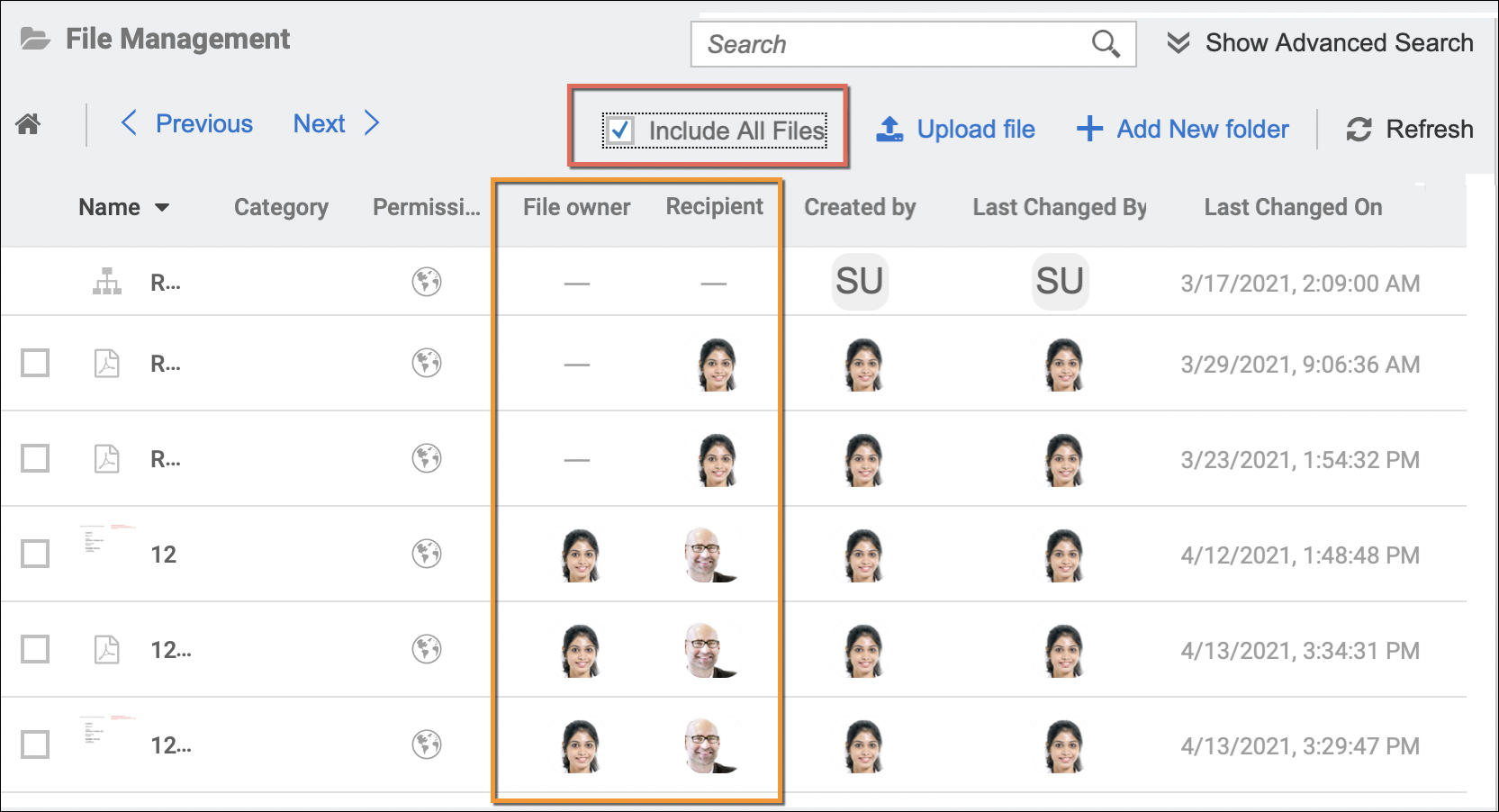
For items with specific authorizations where you are not part of, these files and folders will be hidden. But having the super admin role, you will still have the option to view them via the Include All Files option, as shown in the sample screen below.
A good example where this feature can be used by a file/storage manager (super admin user) is for a company that may have a yearly "Tax requirement" company folder which they create on a yearly basis. The employees are required to upload documents that are required prior to their withholding tax deduction for that specific year.
At the end of the year, the managers may then go into that specific year's folder, enabled the Include All Files option, and then download all the files from there so that these documents can be handed over to the Finance/Taxation team.
In addition to the basic details of the folders and files on quick view, the following details or columns will be displayed as well:
- File owner (for File only) - Displays the name of the user from one of the following:
- The user who uploaded the file in the File Management and Storage Management
- The user who generated the file (then automatically uploaded in the storage) from the Generator Card (Strato Dashboard widget)
- The user who uploaded the file in the My Files card (Strato dashboard widget)
- The document owner configured within the Store Document step if the document was automatically uploaded in storage via Strato Workflow.
- Recipient - Displays the recipient of the files or folders uploaded by the Admin for specific employees, to be reflected within their My Files card (Storage Card - Strato Dashboard).