Access the Strato Workflow Template Editor [V1]
The Workflow Editor of Strato is accessible within the Library > Actions> Workflow Templates as shown in the screen below:
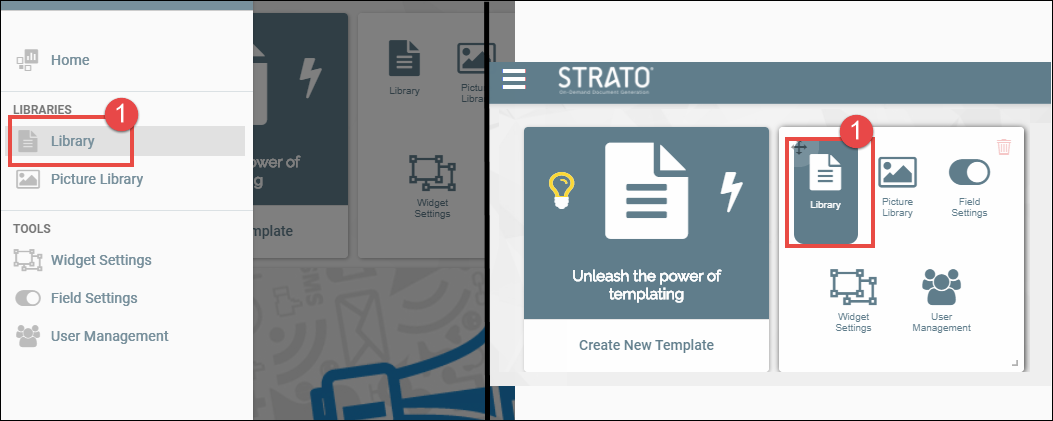
- From the Main Strato screen, click Library either from the menu panel on the left, or the Library button from the main dashboard.
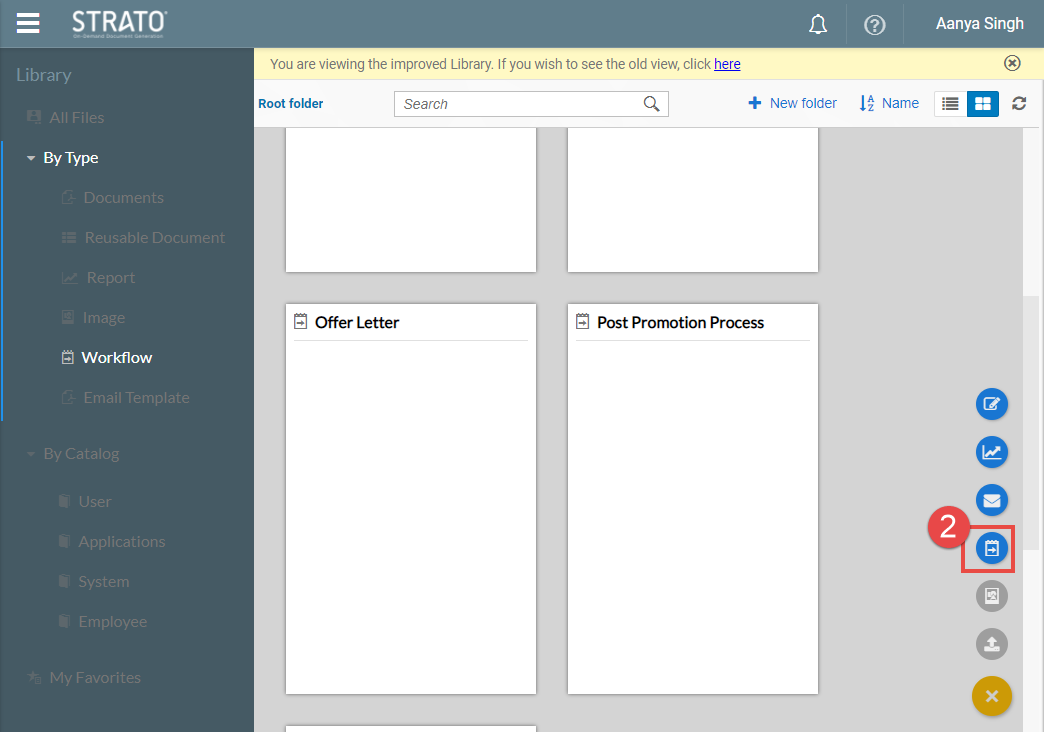
- From the Library screen, click on the Plus sign button from the lower right side of the screen and click on Workflow Template.
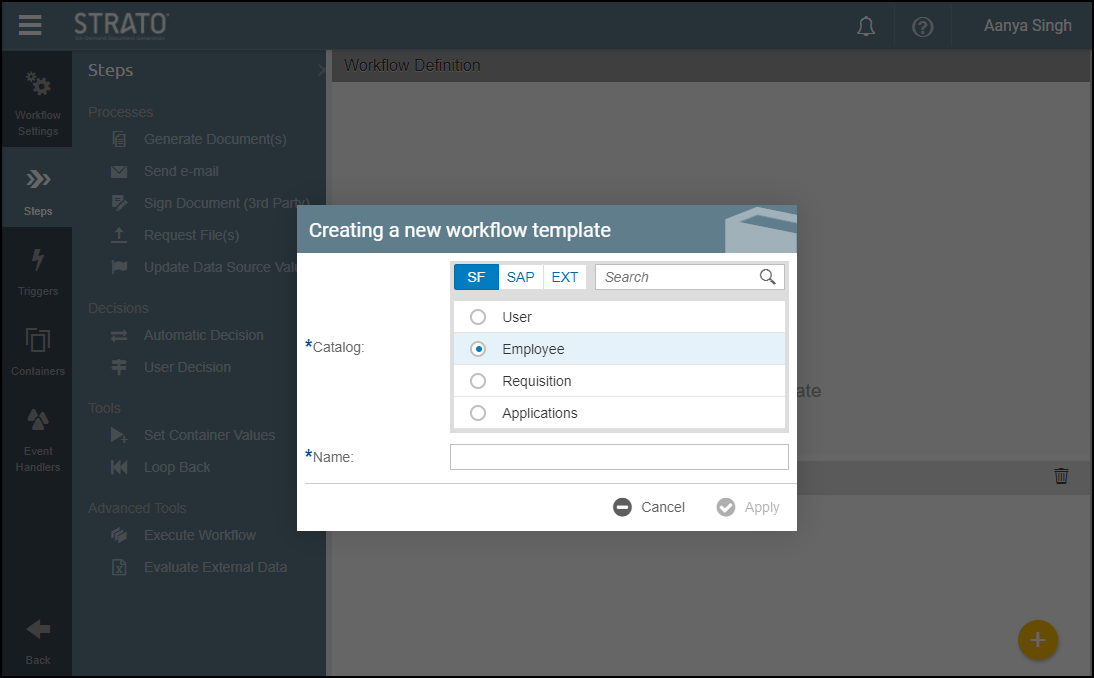
This leads you now to the Workflow Editor screen. - Choose for which Catalog your workflow is for, and enter the workflow's name.
You can now start creating and modifying your Workflow Template.
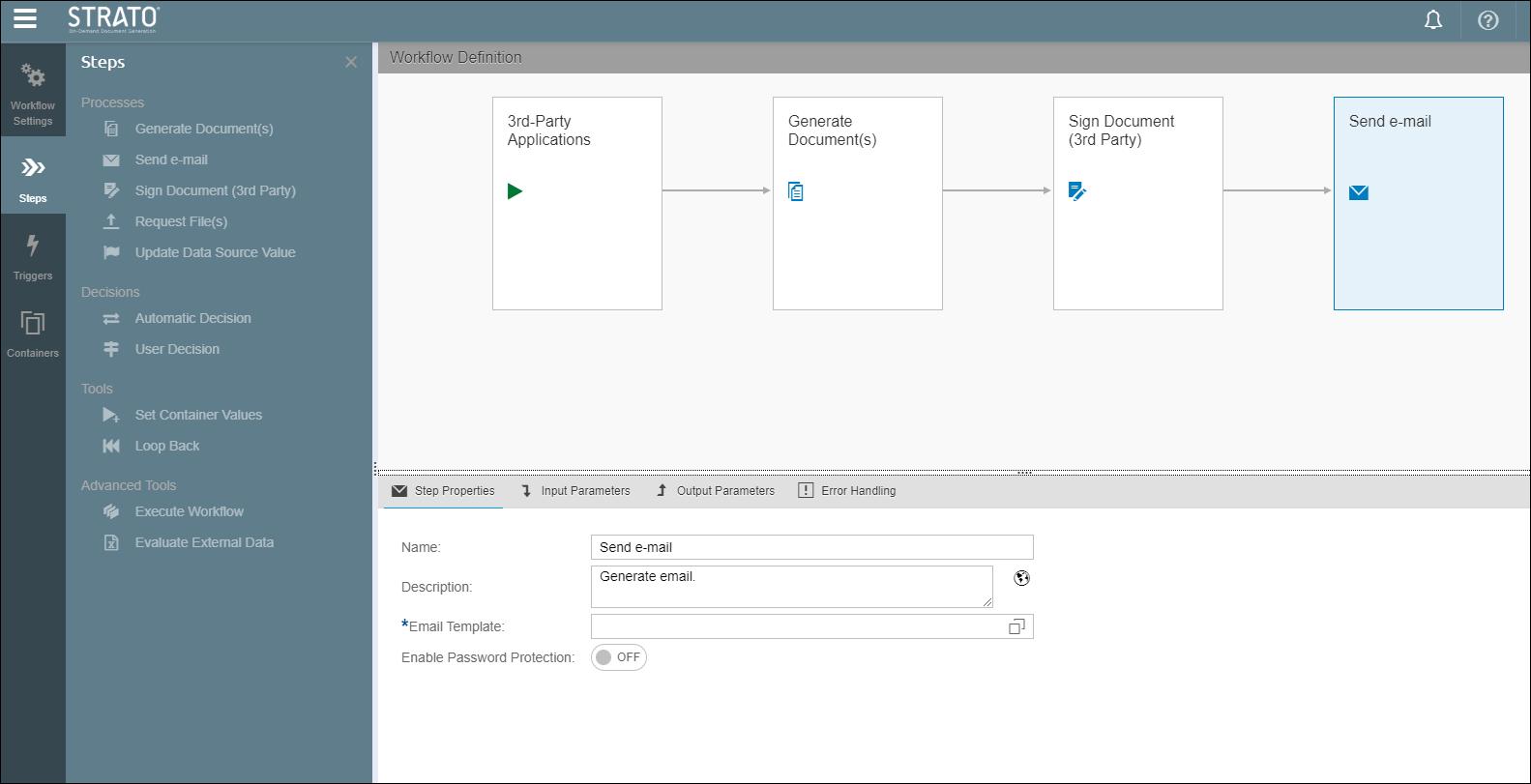
As an overview, the screen below shows how the editor looks like when modifying the steps in a workflow.
For more information on how to modify workflow templates/steps, please read:
- Workflow Template Editor (Create Workflow)
- Step Types (Workflow Editor)
- Triggers (Workflow Editor)
- Container Definition (Workflow Editor)
For the sample use cases for Strato Automate, please go to this section: