Update User Property Values via API
This article explains how to update the values of User Properties via an API request.
Requirements
Make sure that New Feature - Authorisation Framework is installed in the Upgrade Centre.
Basic knowledge of User Properties and experience with APIs and API client applications like Postman are required.
Instructions
- Type the URL in the format
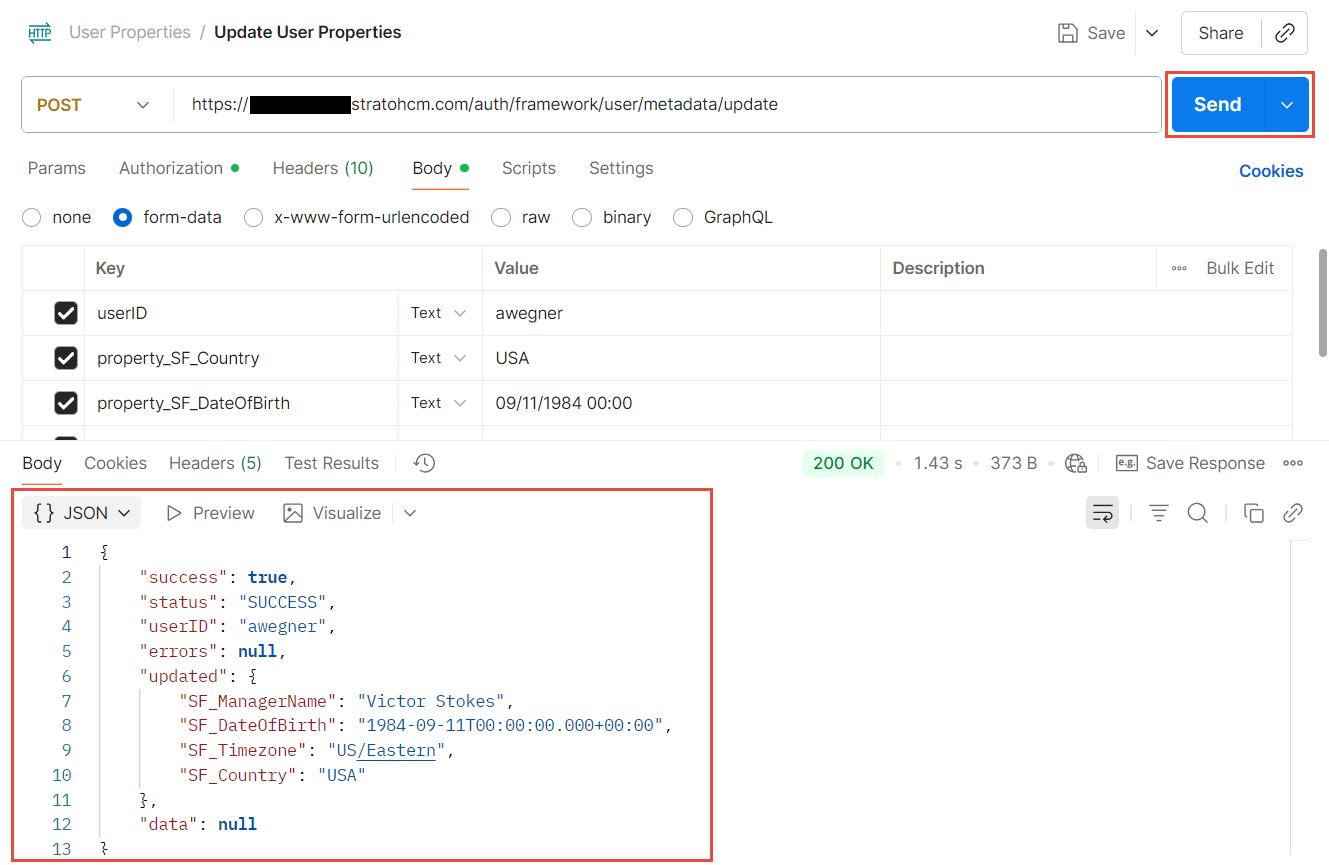
<System URL>/auth/framework/user/metadata/updateand set the method to POST. 
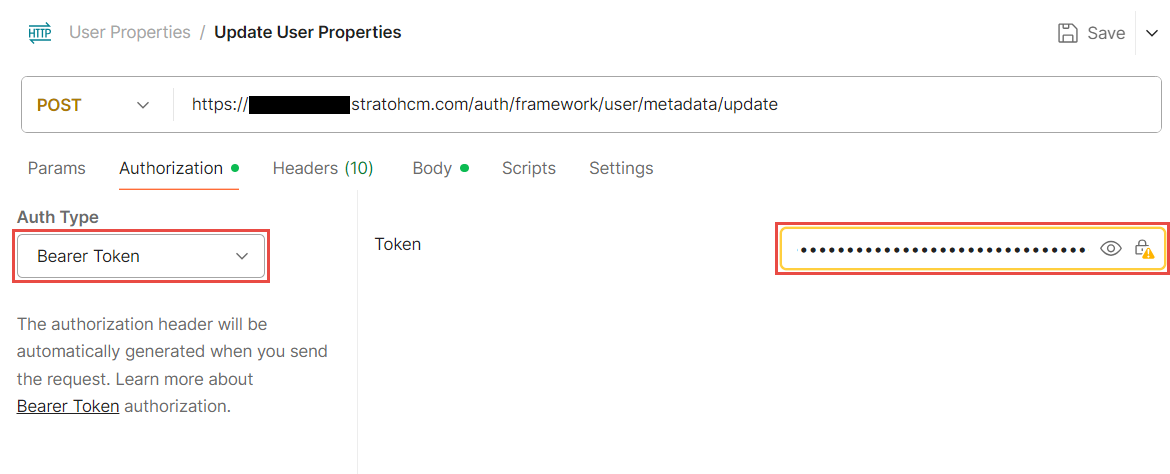
- Go to the Authorization tab and set the Auth Type to Bearer Token. Fill in the Token field with your Bearer Token.
- Go to the Body tab. Set the request body to form-data and fill in the following details:
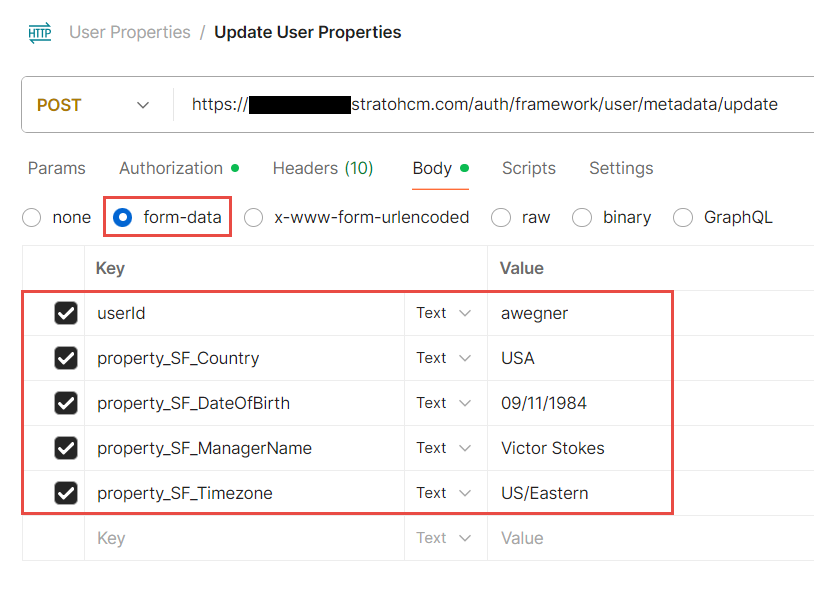
userID: The username of a valid Strato user.property_<Property Code>: The code of the User Property to be updated.
- Click Send. If done correctly, the API should return a success message and the User Properties will be shown with their new values.