Strato 2025-13
In Strato Document Management, the updated Trash V2 interface makes it easier to view, restore, or permanently delete files, while file replacement streamlines content updates. Authorized users can now set or remove Legal Hold directly in the People Hub, further extending authorization capabilities introduced in earlier releases. Workflows also gain more flexibility with customizable output filenames in Call External Services steps, giving you greater control over how generated files are named.
See all of these new features and enhancements documented in detail below:
New Features
Strato Document Management
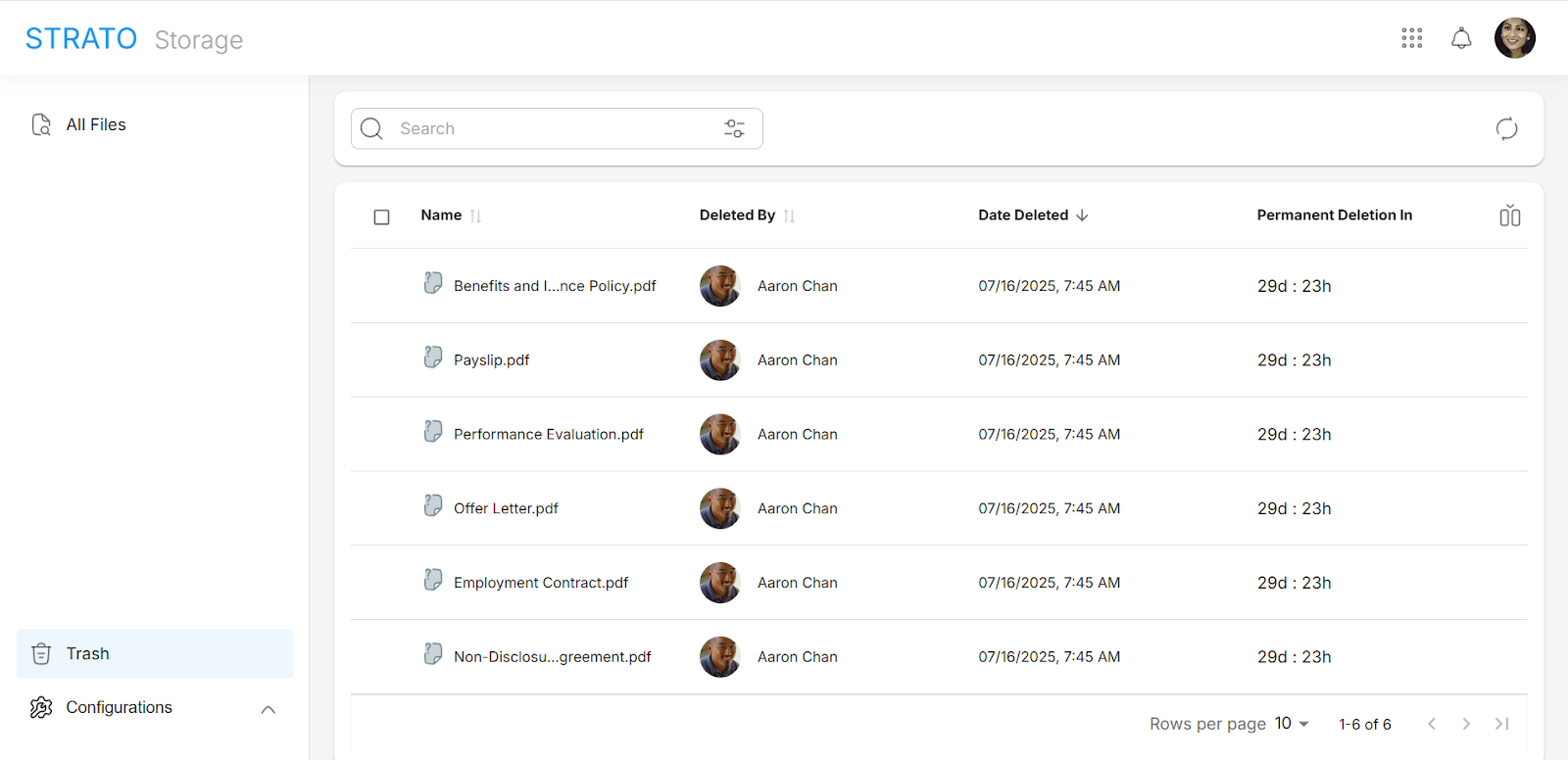
- View File Information about a deleted file, including its Deletion History
- Restore delete files to their original folder, or to a new folder if the original folder has been deleted
- Permanently delete files, which is only available if the current reviewer is not the same user who deleted the file
To learn more about the Trash feature, read Trash.
To learn about Legal Hold in People Hub, read Legal Hold.
Strato Document Generation
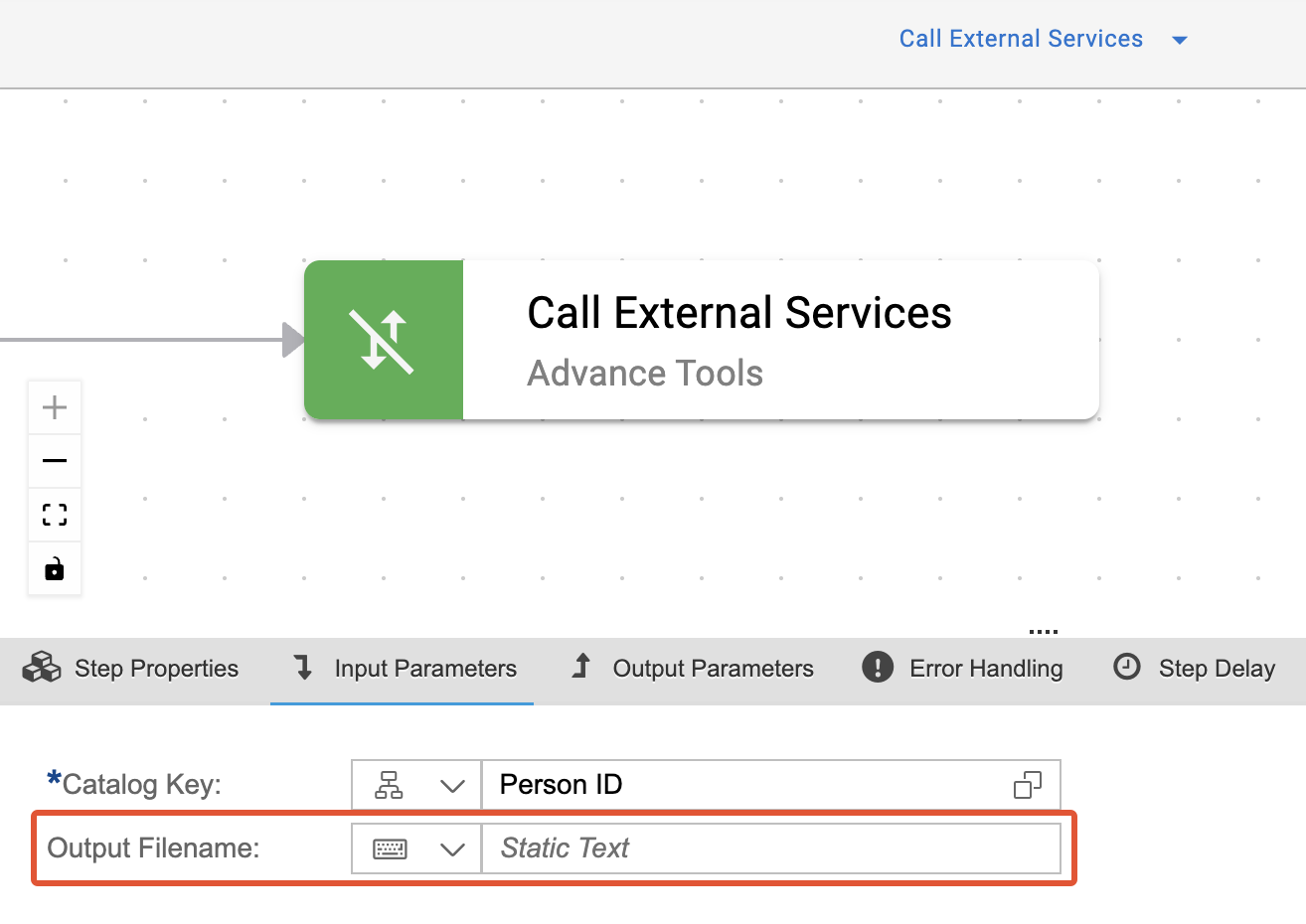
Learn more about the New Feature - File Name Customization in Call External Services Output.
Enhancements
Strato Document Management
This functionality is not available for batch edit functions.
Other Updates and Corrections Delivered
Strato Platform
- Automatically applying Days as the default value when the Show result in setting is applicable
- Ensuring the Show result in setting only appears when the field type is Formula and the function is Date Difference
Strato Document Management
Strato Document Generation