Document Generation
Document Generation is done after creating / editing your documents and widgets. It usually takes a very short amount of time to generate documents regardless of the widget type. Different widget types have different steps to be followed to generate documents.
Generated Documents
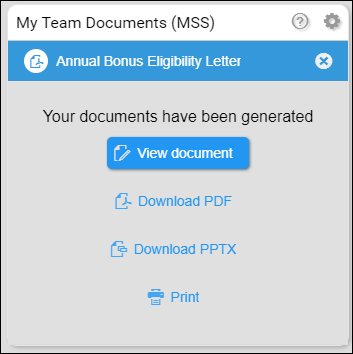
Once generated, documents can be viewed (in a new tab), downloaded as a PDF, and can be printed.
To know more about the document generation steps of each widget type, read the articles below:
- Document Generation - All Employees and My Team Type Widget
- Document Generation - My Records Type Widget
- Document Generation - Application Widget
- Document Generation - Requisition Widget
- Document Generation - External Datasource Widget
- Document Generation - Generate for Requests Widget
- Document Generation - Generating Easy Reporter Catalog Documents
- Document Generation - Generate a Document in SuccessFactors
To know more about the document preview screen, read Document Preview - UI and Actions.