Mass Storage (Strato Storage)
In line with the File Management functionality, users (given proper authorizations) have the ability to see company-wide files and see them in a folder structure that is configured by HR Administrators depending on the company structure. With that, generated documents for multiple employees via Strato Widget and Dashboard Widget tiles can be stored on the respective folders of the employees.
As Strato Administrators or Strato Consultants, you can configure the sections of a Dashboard Generator Card widget to store the documents to an Employee folder by default. You can then fine-tune it further by choosing specific templates like Total Compensation and have that document be stored under the specific Compensation folder.
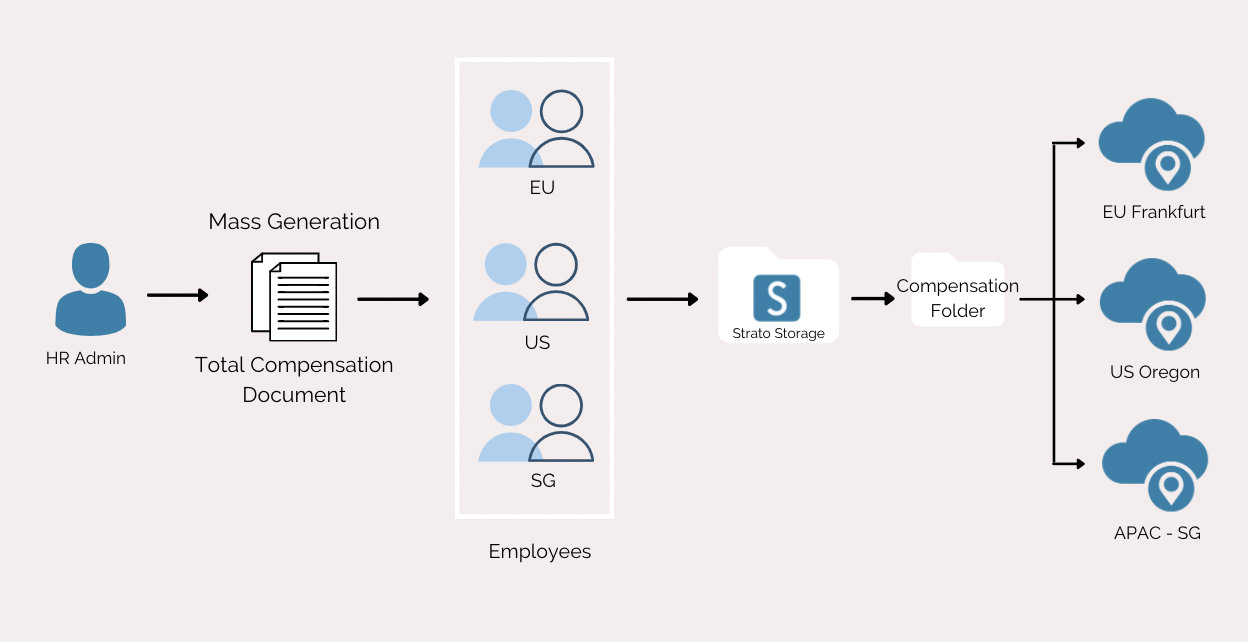
As a good example, when an HR administrator mass generates Total Compensation statements from the Dashboard Widget tile for regular employees on a monthly basis, these statements can be stored automatically in the company folder called “Compensation”. This folder will have an authorization configured into it from File Management which would only allow regular employees to access it. If the HR Administrator mistakenly selects a temporary employee for the "Total Compensation" document, then that temporary employee won't be able to see the "Compensation" folder when they go into their My Files card.
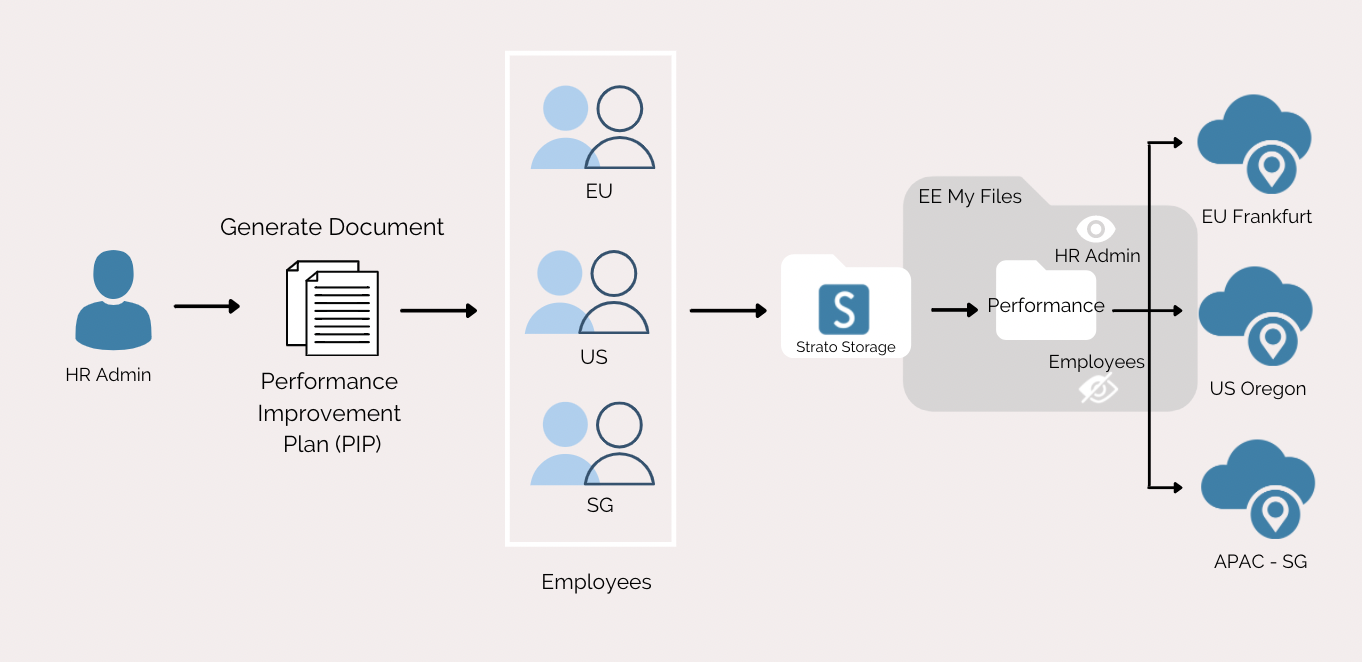
In cases where certain employees are undergoing a Performance Improvement Plan (PIP), HR Administrators would generate PIP documents for these employees and then save them in a folder that the employees do not have access to. The template on the Dashboard would be configured to be stored on the folder “Performance” which limits the authorization to just HR Administrators. When HR generates such a document and stores it, the file will be stored against the selected employees but will not be visible in the My Files card of the employees since they do not have permission to the “Performance” folder.
For cases where an employee asked his manager to generate a document for him, then the manager would go to the Dashboard, choose the MSS tab and then generate the document of that employee. The manager would then store the document for that employee. Strato Storage would automatically save that document for that employee under the Employee folder. The employee can then view all their stored documents from the My Files card.