Strato Dashboard Widget and Card Types - Overview
The Dashboard Widget allows you to perform multiple actions within one widget via cards, covering ESS, MSS, HR Admin, Workflow Admin, and Recruiting functionalities.
Depending on your role, the following can be performed in one dashboard widget to reduce your time and effort on navigating to different screens or windows.
- Generate documents
- Store documents for the user’s later access (My Files)
- Administer workflow steps
- Administer workflows
- Check workflow statuses
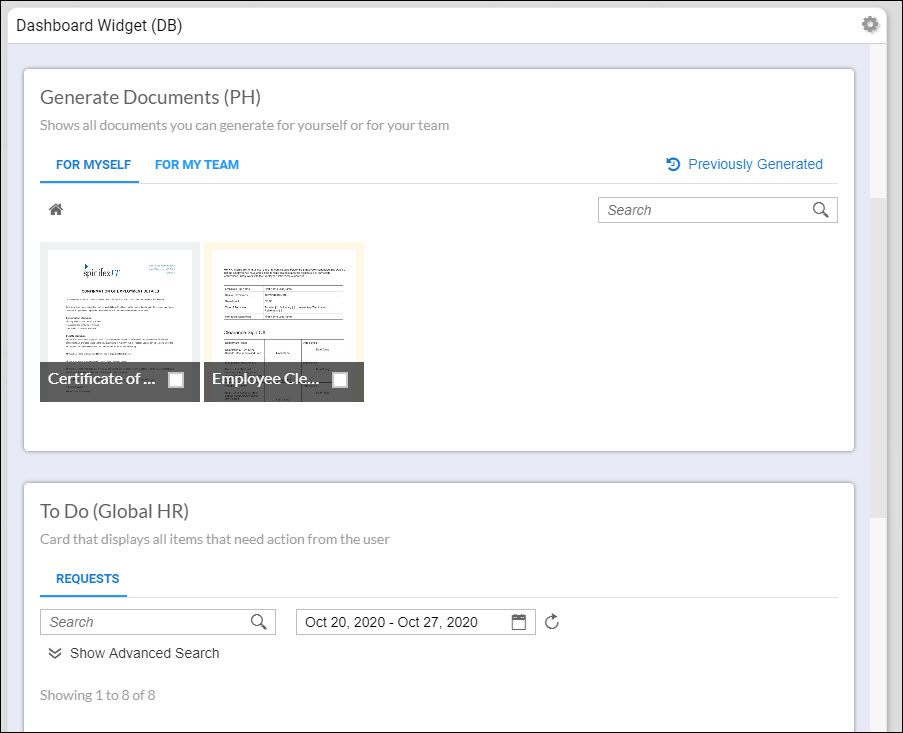
This also means that depending on your dashboard requirement, you can have multiple cards within one dashboard. These cards can be a combination of different types, or it can also be multiple cards of the same type. These cards can also have view restrictions to specific groups of users.
The cards are all configured within Strato and of which some cards can then be configured to be integrated into your SuccessFactors instance as tiles.
Sample Dashboard View in Strato
Sample Tile View in SuccessFactors
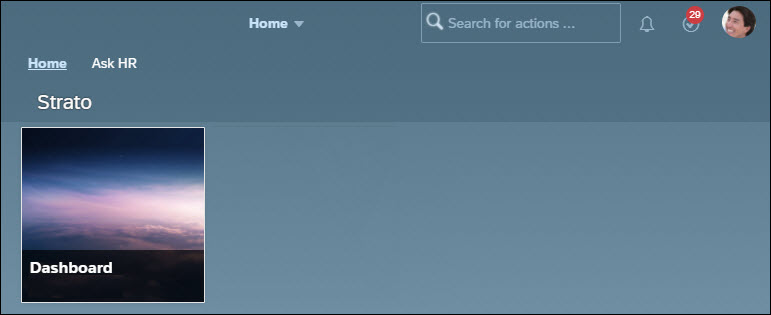
That being said, depending on your dashboard requirement, you can have multiple cards within one dashboard. These cards can be a combination of different types, or it can also be a group of the same card types. These are all configured within Strato and of which some cards can then be configured to be integrated into your SuccessFactors instance as tiles.
Card Types - Dashboard
Here are the types of cards that can be created in one dashboard widget:
Generator Card
The Generator Card is used to generate documents such as Certificate of Employment, Bonus Letters, Letter Offer, and all the other relevant HR documents required in your organizations’ HR processes. The Generator Card can be configured for Employee Self Service (ESS), Manager Self Service (MSS), and for all the other groups such as for All Employees.
Depending on the purpose of this card, several tabs can be created where the relevant documents will be generated for:
- For Myself (ESS)
- For Applicants
- For My Team / As HR Admin (MSS)
- ESS Request - for request only documents
For sample use cases, read: Document Generation - Employees Generating Documents (ESS Generator Card) / Document Generation - Managers Generating Documents (MSS Generator Card)
To know more about the Generator Card, please read:
- Card Type - Generator Card (Edit Mode)
- Card Type - Generator Card (Documents)
- Card Type - Generator Card (Workflows)
To Do Card
The To Do Card is mainly used by managers and HR Admins to view and identify steps from executed workflows that require an action from an individual (employee or candidate). The manager or HR Admin can easily perform the action on behalf of the indicated person or send a follow to remind that person that his or her action is required to complete the process that the workflow is trying to accomplish.
In addition to the workflow feature, they can also generate documents that have been requested by employees from their employee self service generator card in their dashboard widget. These generated documents would then be received by the employee who requested for it. Alternatively, managers and HR admins can put requests on hold or decline them depending on the situation.
For a sample use case, read: HR Admins Generating Documents (To Do Card)
To know more about the To Do card, read the following articles:
Workflow Administrator Card
Since Strato Workflow runs in the background, managers and administrators need a way to view what is running and what was executed in the past month. This is mostly to identify if there were any problems.
An HR administrator should be able to:
- View all or search for running and previously executed workflows
- See any workflows that resulted to an error and gather information about the error
A hiring manager and recruiter should be able to:
- View the total number of offers extended to candidates via Strato Workflow
- View details on extended offers like action taken by the candidate and rejection reason (if any)
This card is intended to be used by administrators to search for a particular workflow or to see all running workflows at any given time. On initial load, it will show the broad overview of the most recent workflows where it displays combined information between Strato Workflow and SuccessFactors.
To know more about the Workflow Administration Card, read the following articles:
- Card Type - Workflow Administration Card (Edit Mode)
- Card Type - Workflow Administration Card (View Mode)
Workflow Report Card
The Workflow Report Card allows you to create different types of reports based on your organization's needs. Depending on how it is configured, it can show information from both Strato Workflow and SuccessFactors. You can report on tracking the generated documents, KPIs, audits, etc.
Similar to the Workflow Administration Card, the configuration of the Workflow Report Card will allow the Strato administrator to restrict which user groups are allowed to view the card. If no user group is selected, then it means that the card is available to everyone.
To know more about the Workflow Report Card, read the following articles:
- Adding/Configuring Workflow Report Card
- Viewing Reports for Executed Workflows for Admins, Managers and Recruiters (Workflow Report Card)
Usage
To see how these card types are used, read Dashboard Widget - Use Cases Overview