Upload Files to Storage Deck via API
This article explains how to upload files to the Storage Deck via an API request.
Requirements
Make sure that New Feature - Storage Deck is installed in the Upgrade Center.
A foundational knowledge and experience with APIs and API client applications like Postman are required.
Single Upload
-
Type the URL in the format
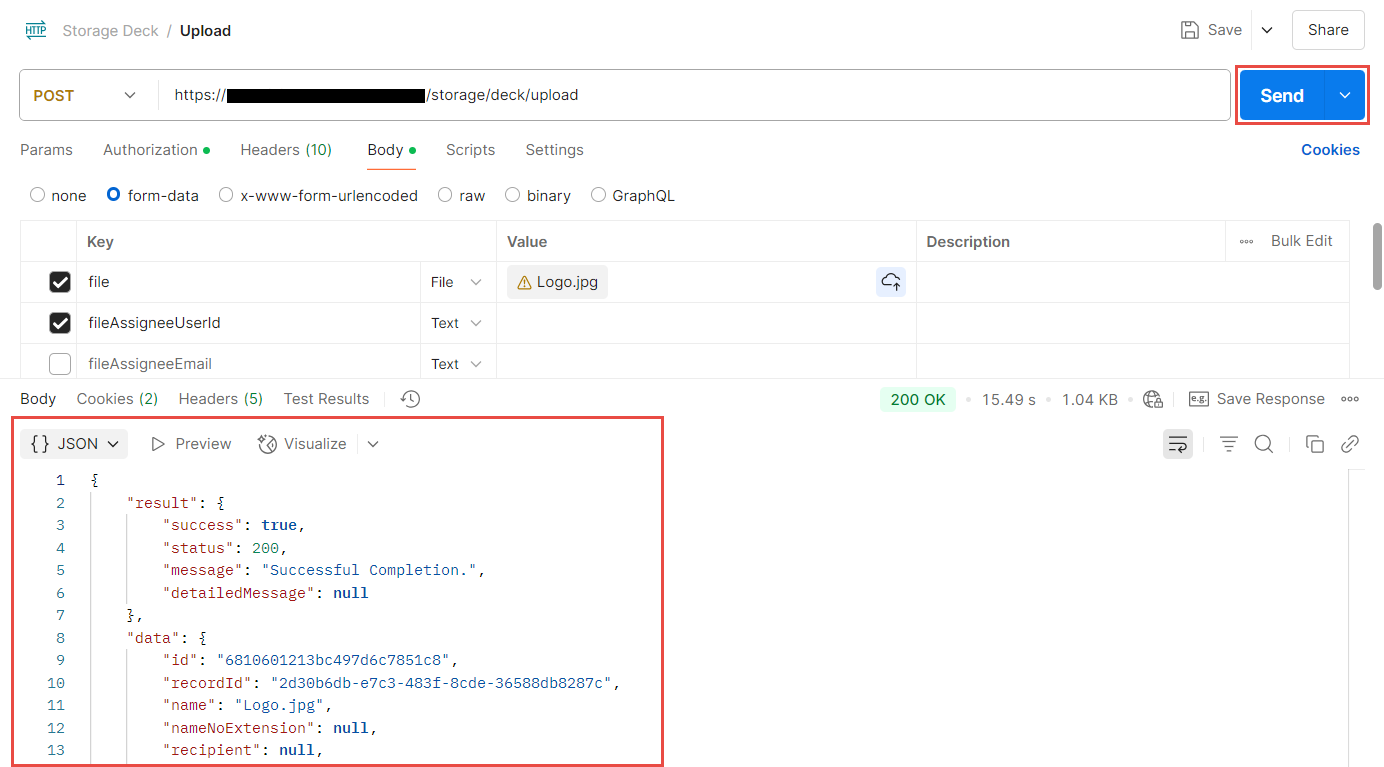
<System URL>/storage/deck/uploadand set the method to POST.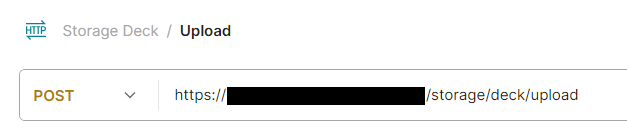
-
Go to the Authorization tab and set the Auth Type to Bearer Token. Fill in the Token field with your Bearer Token.

-
Go to the Body tab. Set the request body to form-data and fill in the following details:
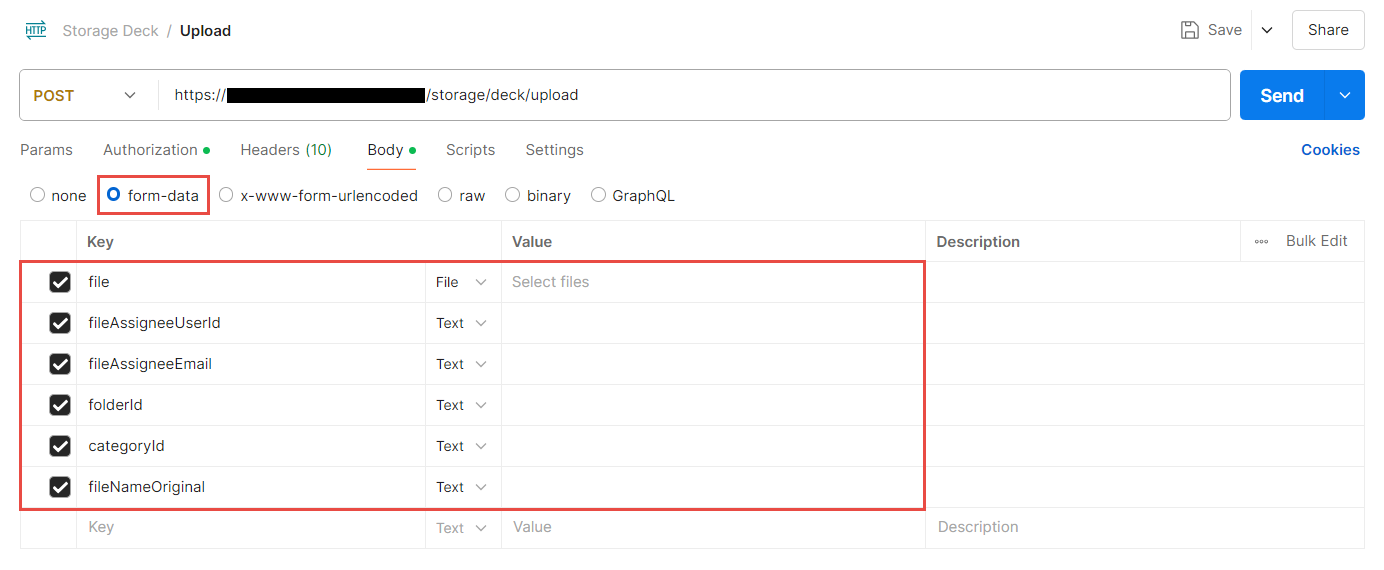
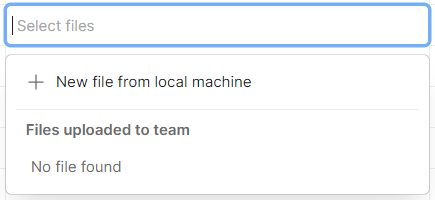
File Properties can also be added by adding more key-value pairs to the form.KeyData TypeValuefile (Required)FileSelect files from your device.
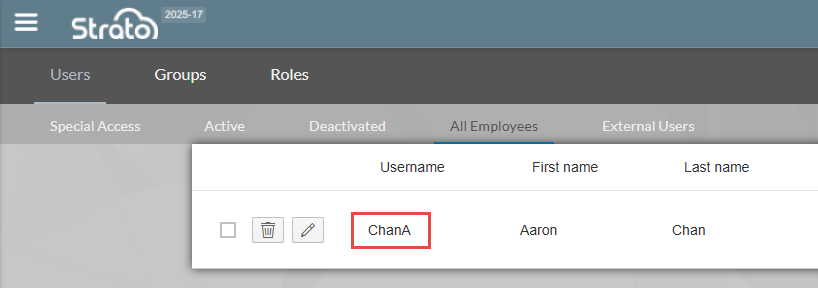
 fileAssigneeUserId (Optional)TextType in the username of the Recipient.
The username can be obtained from User Management (V1) or People Hub (V2).
 fileAssigneeEmail (Optional)TextType in the email address of the Recipient.
The email can be obtained from People Hub.
 folderId (Optional)TextType in the target folder ID, where the file will be placed when moving from the Storage Deck to Storage.
The folder ID can be obtained from Storage Settings > Folder Management in V1.
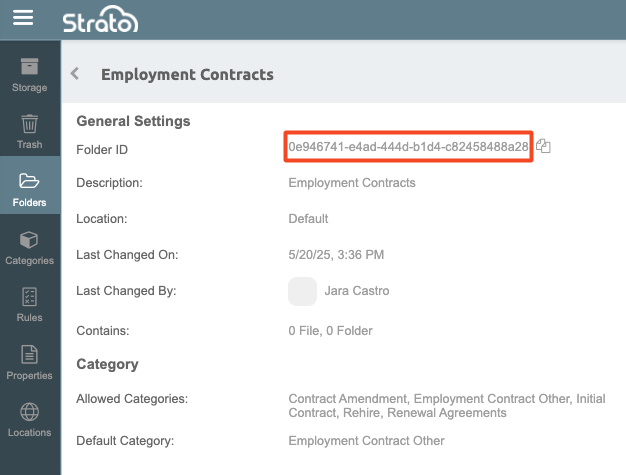 categoryId (Optional)TextType in the Category ID for the file.
The Category ID can be obtained from Storage Settings > Category Management in V1.
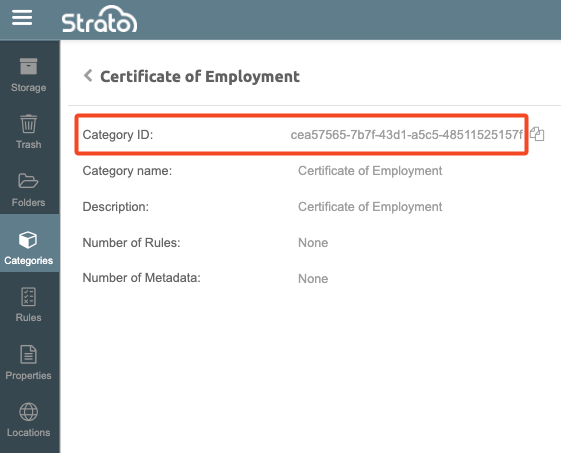 fileNameOriginal (Optional)TextType in the file name in the format
<FileName>.<FileExtension>. If left empty, the uploaded file retains its original name.KeyData TypeValuemeta_[recordId] (Optional)The [recordId] can be obtained from the link in the address bar when viewing the details of the File Property.
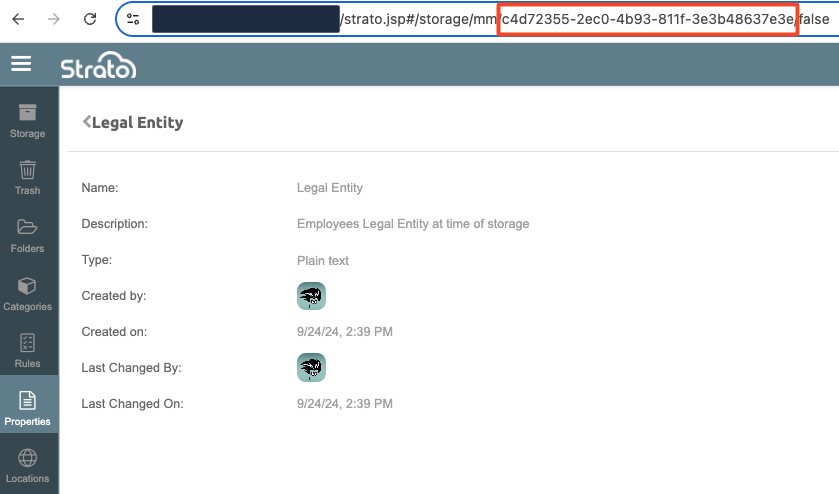 TextType in the value to be associated with the file's Property.
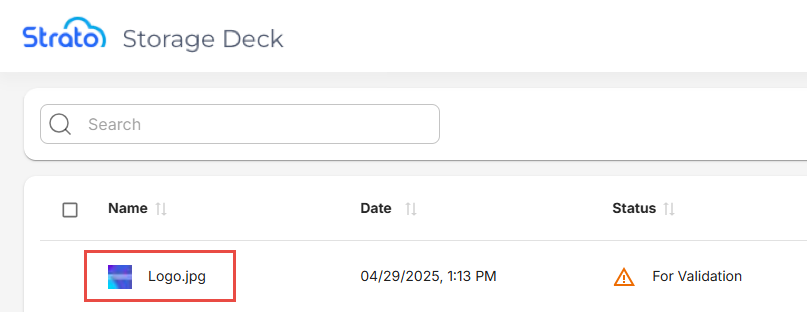
 - Click Send to send an API request to your URL with the information you filled in. If done correctly, the API should return a success message and the file should now be in your Storage Deck.
Batch Upload
Postman only allows for uploading one file at a time. To upload more than one file to the Storage Deck via API, contact our Support team for assistance.
Related articles
- Storage Deck
- Navigate Storage Deck
- Store Files to Storage in Storage Deck
- Upload Files to Storage Deck via API
- Manage Files in Storage Deck