Configure Categories for Company Files
This article serves as a guide on how to configure a Category to be used for Company Files.
Requirements
Make sure that New Feature - Company Files and New Design - Category Management are installed in the Upgrade Centre.
Basic knowledge of Categories and how to configure Categories are required.
Your user must have a Policy that grants access to the Configurations page. Contact your Strato administrator if you need assistance with these permissions.
Instructions
In the Configurations page, click on Categories.
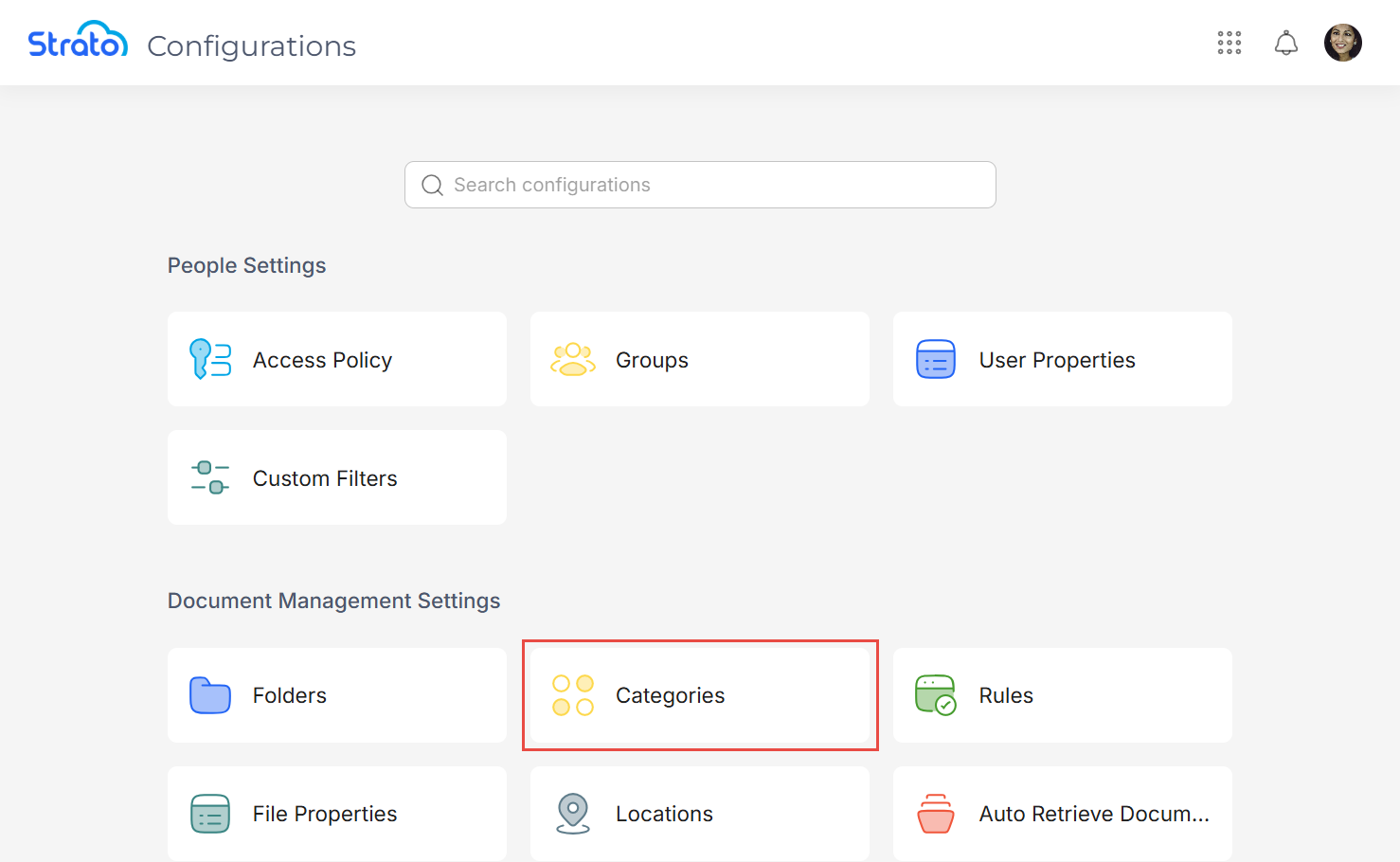
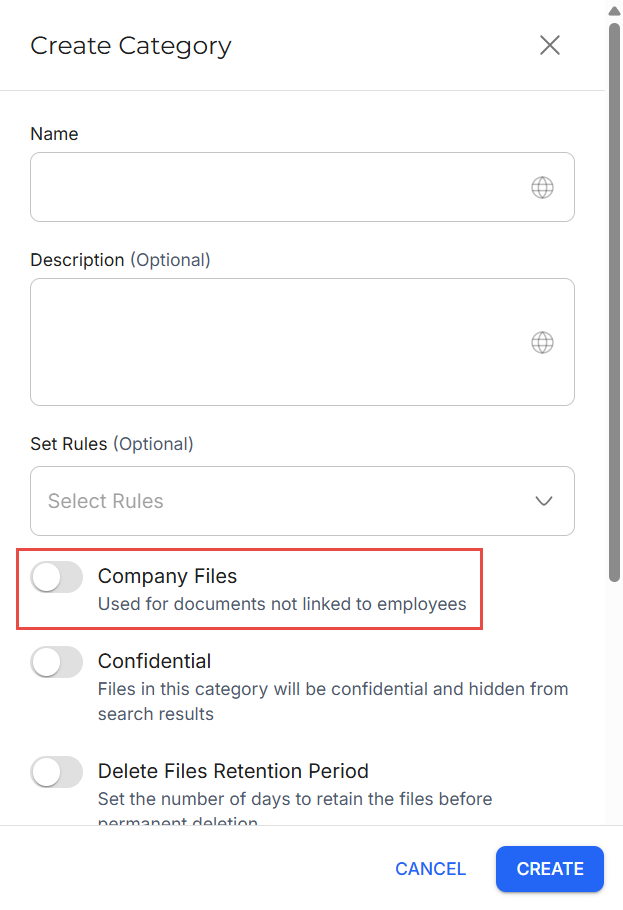
In the Categories page, either create a new Category or edit an existing Category.
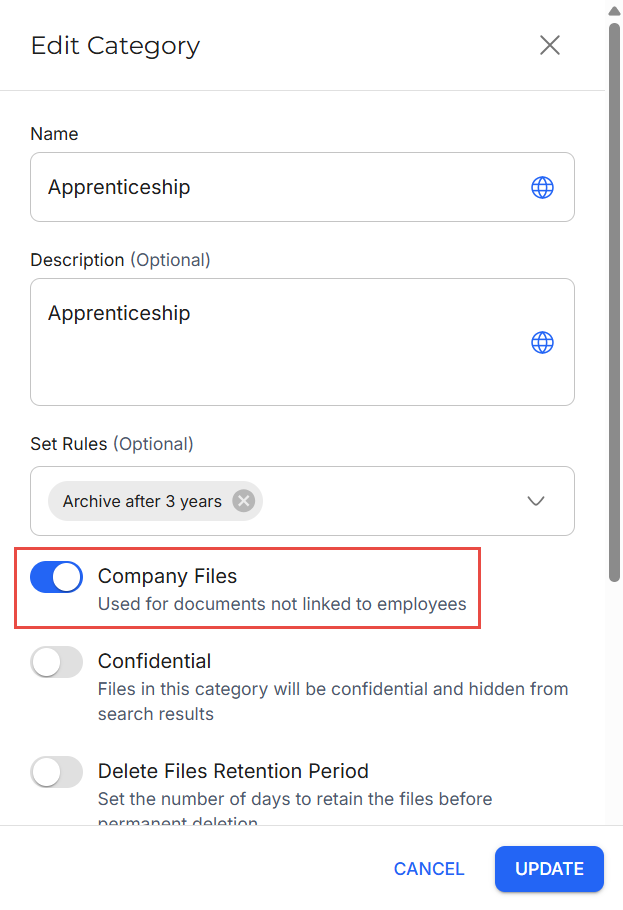
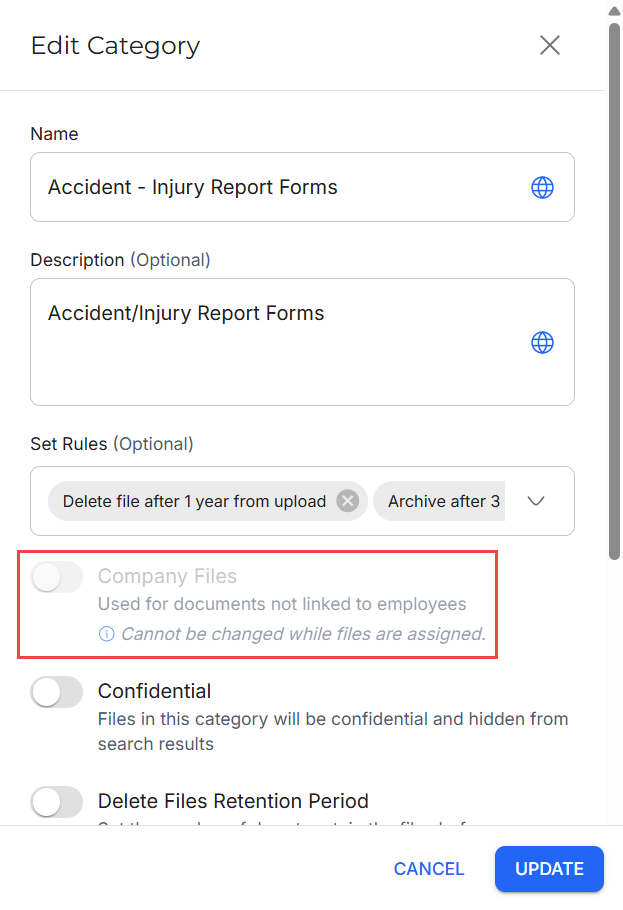
In the Create Category or Edit Category side panel, enable the Company Files toggle, then click Create or Update to save your changes.
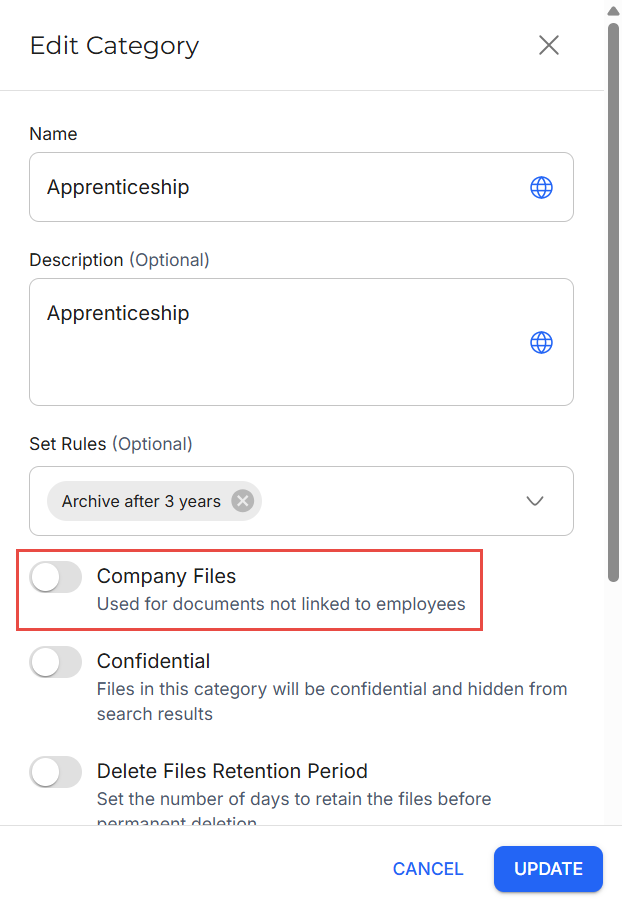
To disable Company Files for an existing Category, go to the Edit Category side panel, disable the Company Files toggle, and then click Update to save your changes.
Related articles
- New Design - Strato Document Management
- New Design - Category Management
- Categories
- New Feature - Company Files
- Navigate Company Files
- Policy Evaluation for Strato Document Management