Configure and Manage Categories
This article serves as a guide on how to configure and manage Categories, retention rules, and file properties.
Requirements
Make sure that New Feature - Authorisation Framework Integration with Configurations and New Design - Strato Storage are installed in the Upgrade Centre.
Your permissions and Policies determine whether access is granted to Categories. Contact your Strato administrator if you need assistance with these permissions.
Add Categories
You can add Categories by clicking the Add Category button. This opens the Create Category side panel, where you can add the details of your Category.
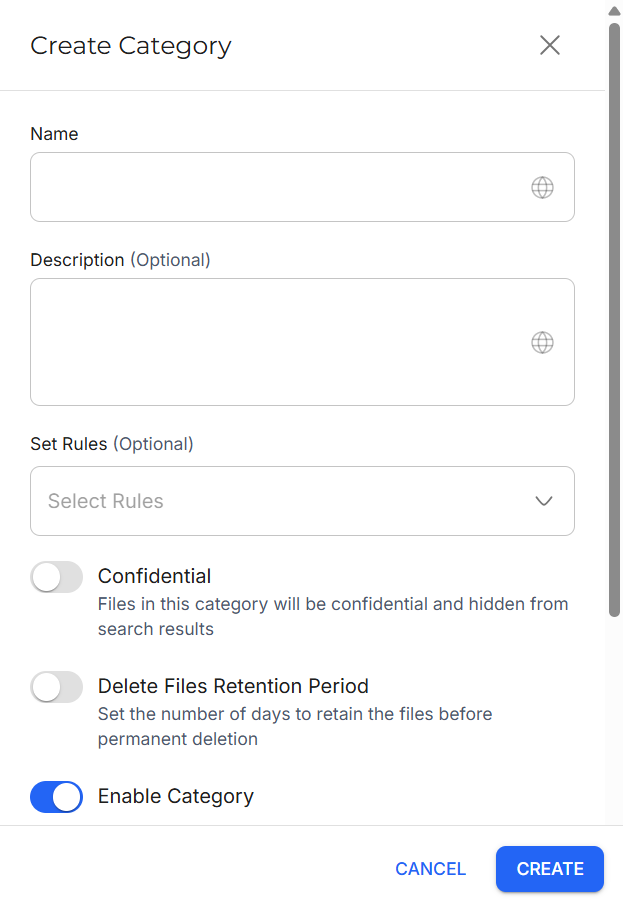
You can set the following information:
- Name: Fill in the name of the Category.
- Description: Fill in the description of the Category. This field is optional.
- Set Rules: Select which rules you want to apply to this Category. This field is optional.
- Company Files: When enabled, files in this Category are tagged as Company Files. Unlike regular employee files, these files have no recipients. This field is only available when New Feature - Company Files is installed in the Upgrade Centre.
- Confidential: When enabled, files in this Category are hidden from search results.
- Delete Files Retention Period: When enabled, deleted files enter a temporary waiting period in the Trash before permanent removal.
- Enable Category: When enabled, this Category can be used and assigned to files.
- Set Properties: Set Properties to be applied to this Category. This acts as metadata for the files in this Category. This part is optional.
Edit Categories
You can edit a Category by clicking the More button and then Edit. This opens the Edit Category side panel, where you can edit the details of your Category.
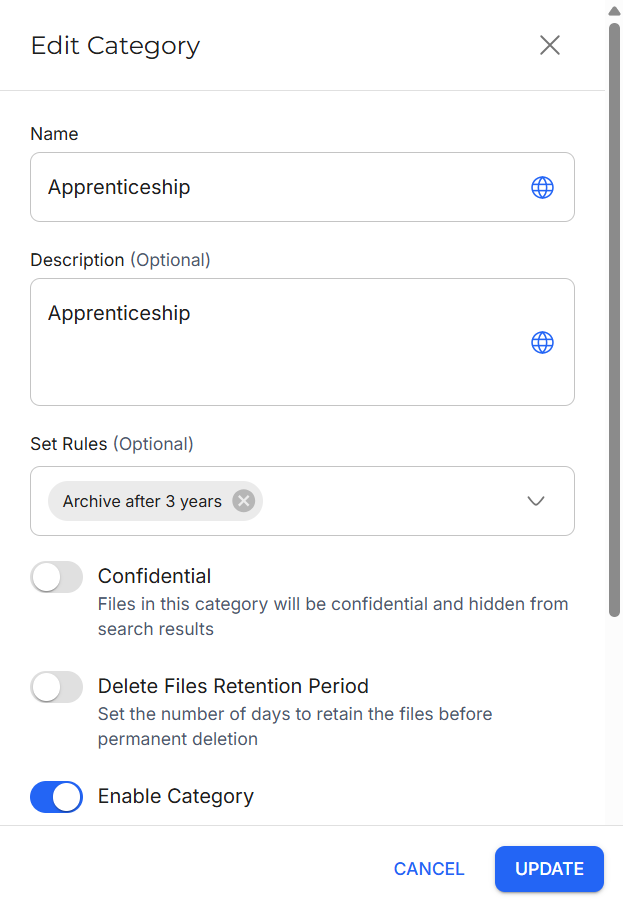
You can edit the same fields in Add Categories. However, the Company Files and Enable Category toggles cannot be edited while the Category is applied to at least one file.
View Category Information
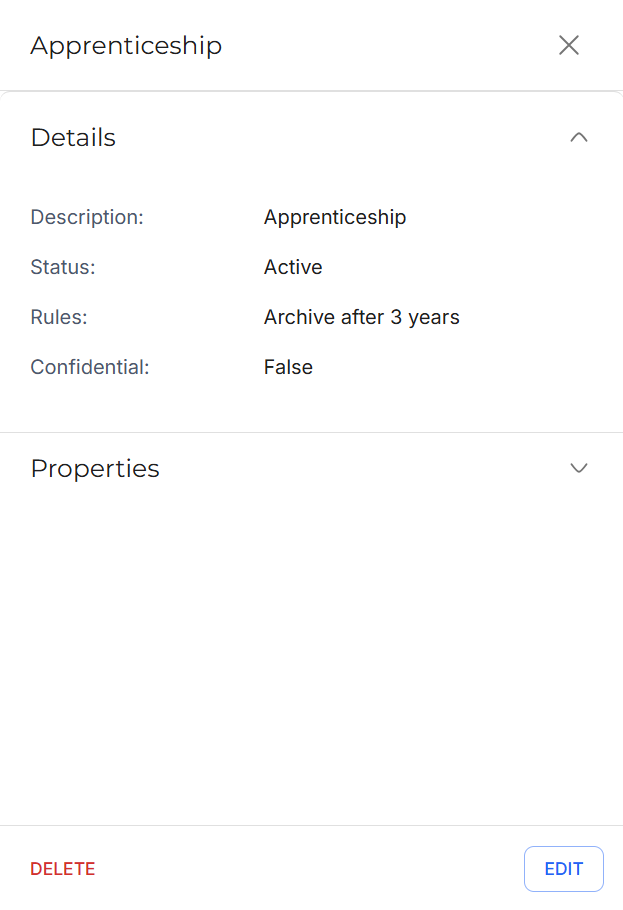
You can view the information of a Category by clicking the View button. This opens the Category Details side panel, where you can view the details of a Category.
From here, you can edit or delete the Category by clicking their respective buttons.
Delete Categories
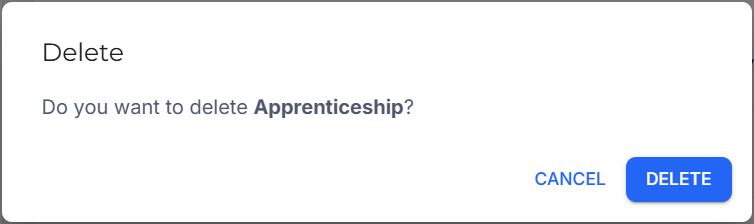
You can delete a Category by clicking the More button and then Delete. A prompt will appear, asking if you want to delete the Category.
Toggle Category Status
You can enable or disable individual Categories by using the toggles in the Status column.
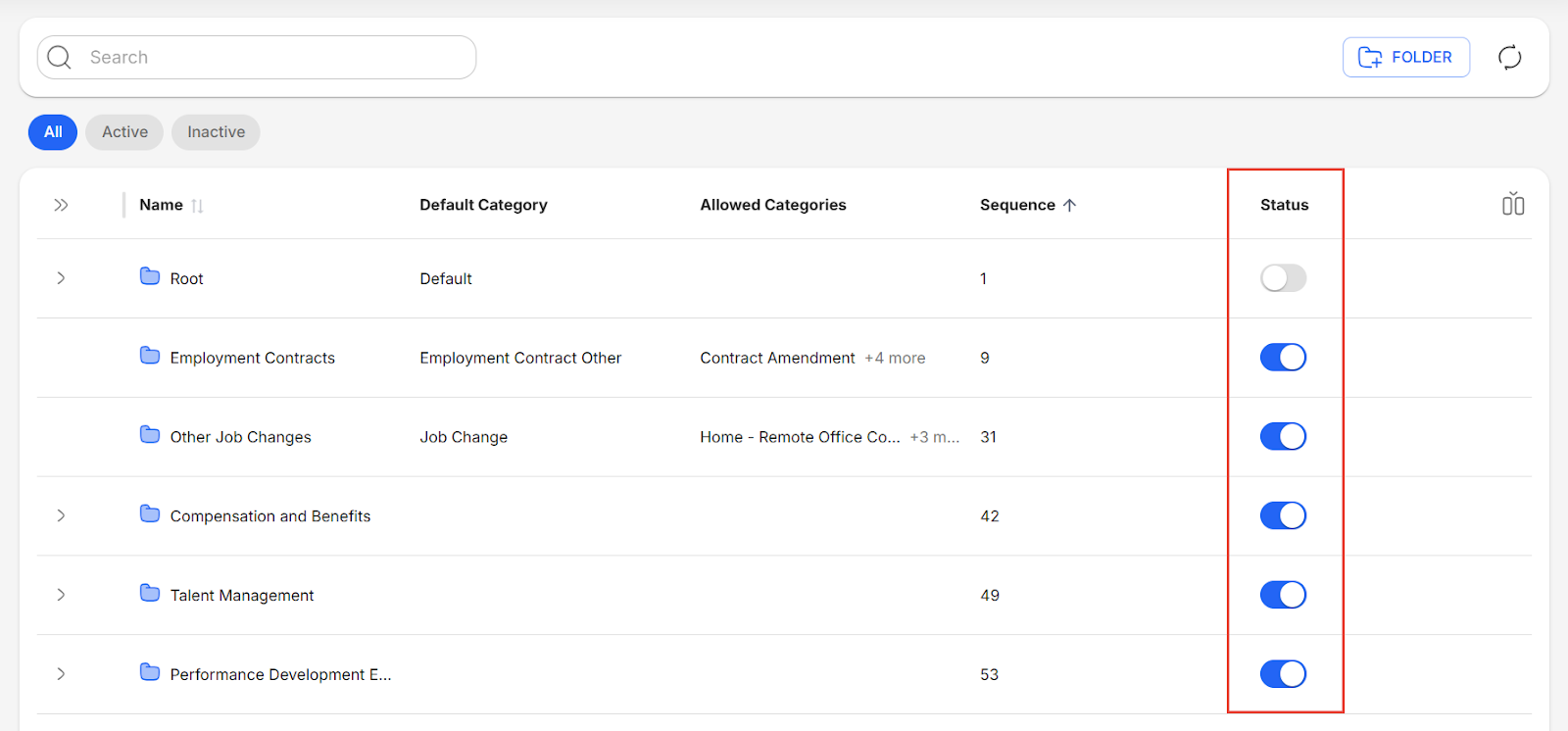
An active Category means that it is currently enabled and available for use in Strato Document Management, while an inactive Category means that it is currently disabled and cannot be used in Strato Document Management.

Assign or Remove Retention Rules
When you select Categories using the checkboxes, the Assign button becomes available.
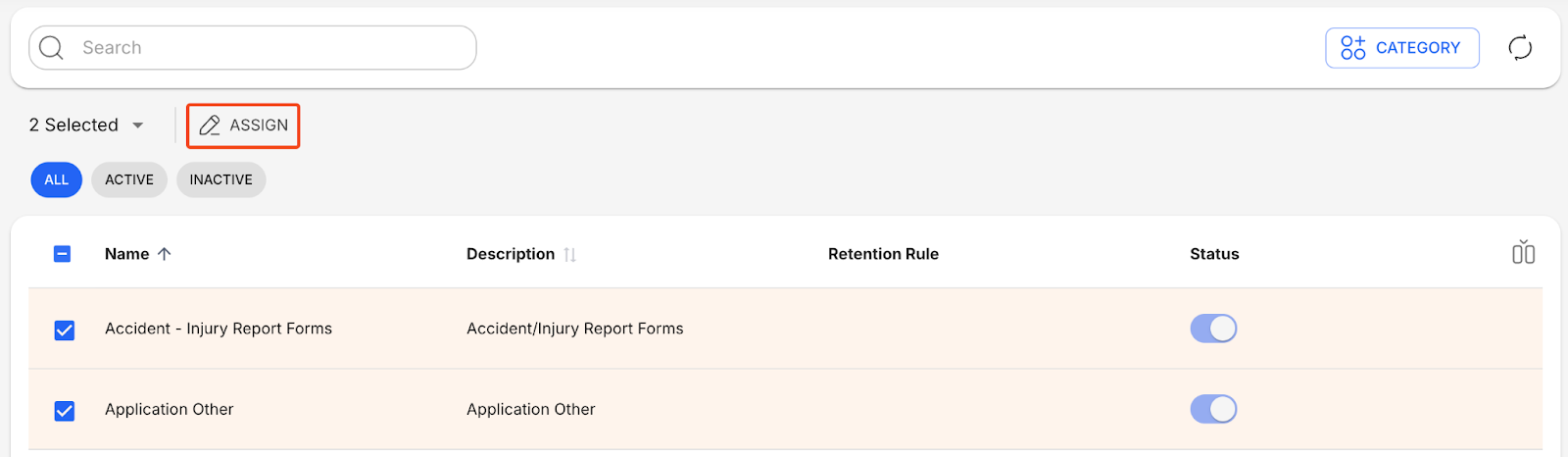
This opens the Assign side panel, which lets you assign and remove retention rules from the selected Categories.
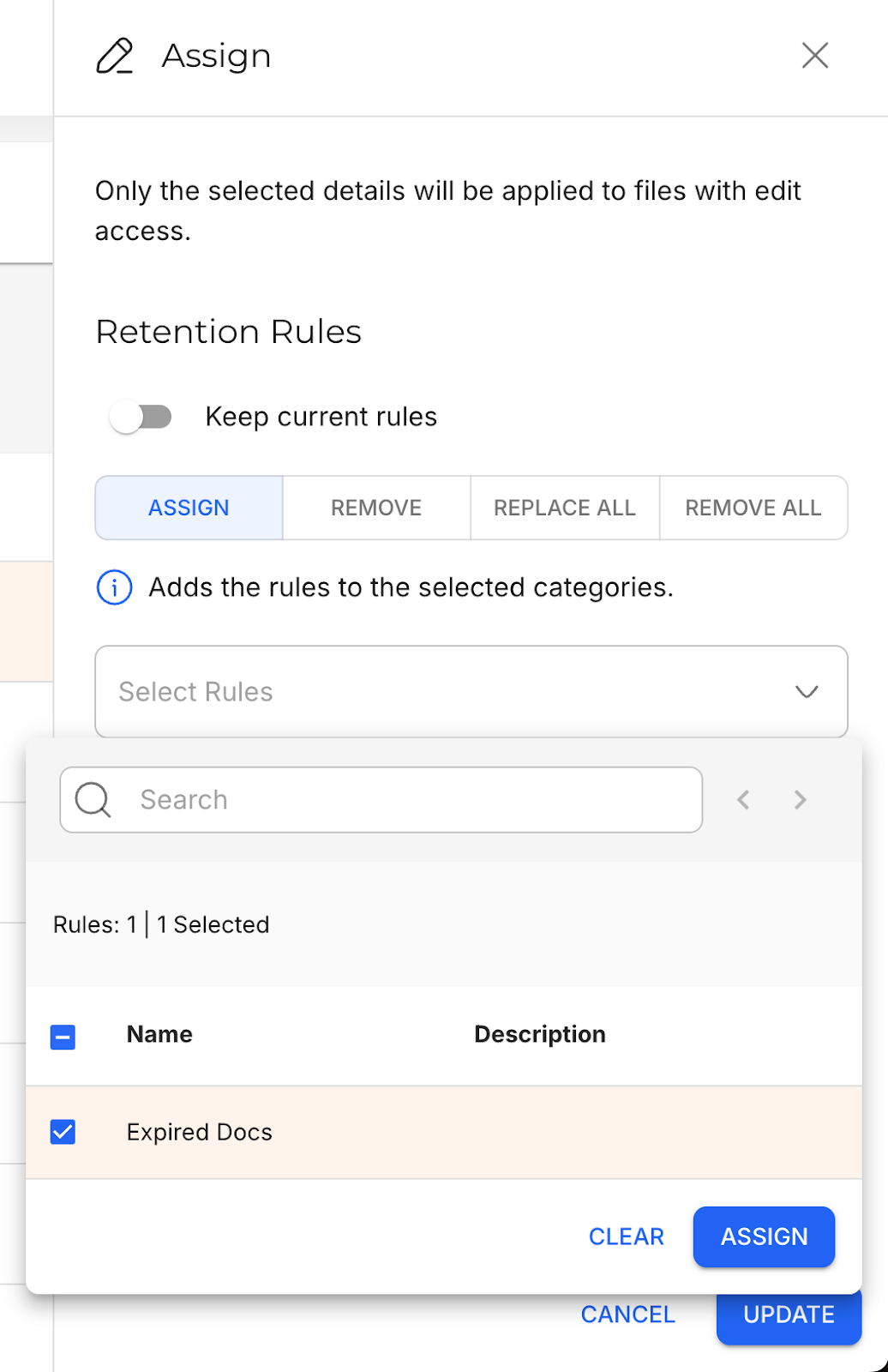
Assign | Adds the rules to the selected Categories. |
Remove | Removes the rules from the selected Categories. |
Replace All | Replaces all existing rules from the selected Categories with the selected rules. |
Remove All | Removes all existing rules from the selected Categories. |
Keep | Keeps the currently assigned rules. This is used when you want to retain the existing rules and edit the file properties only. |
Assign or Remove File Properties
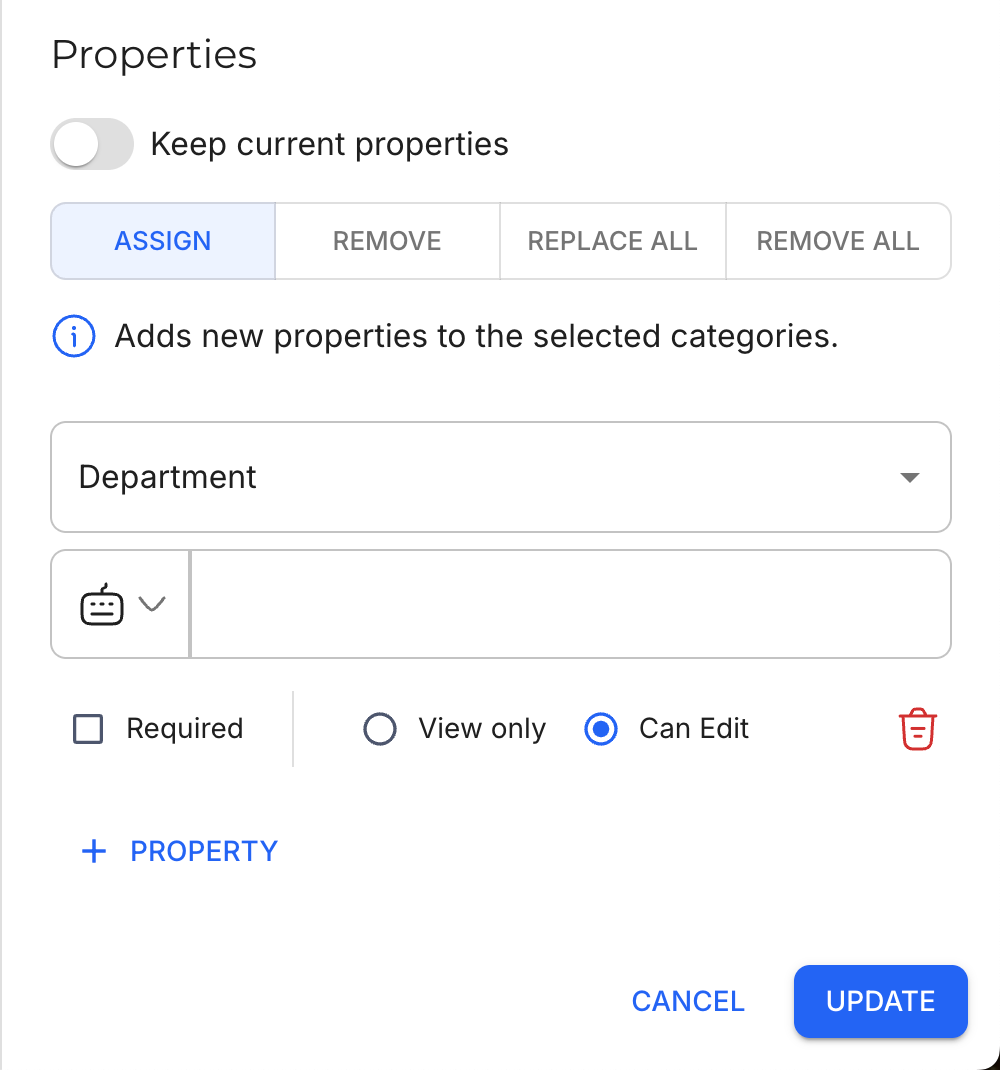
Assigning or removing file properties from Categories is also done via the Assign side panel, similar to retention rules.
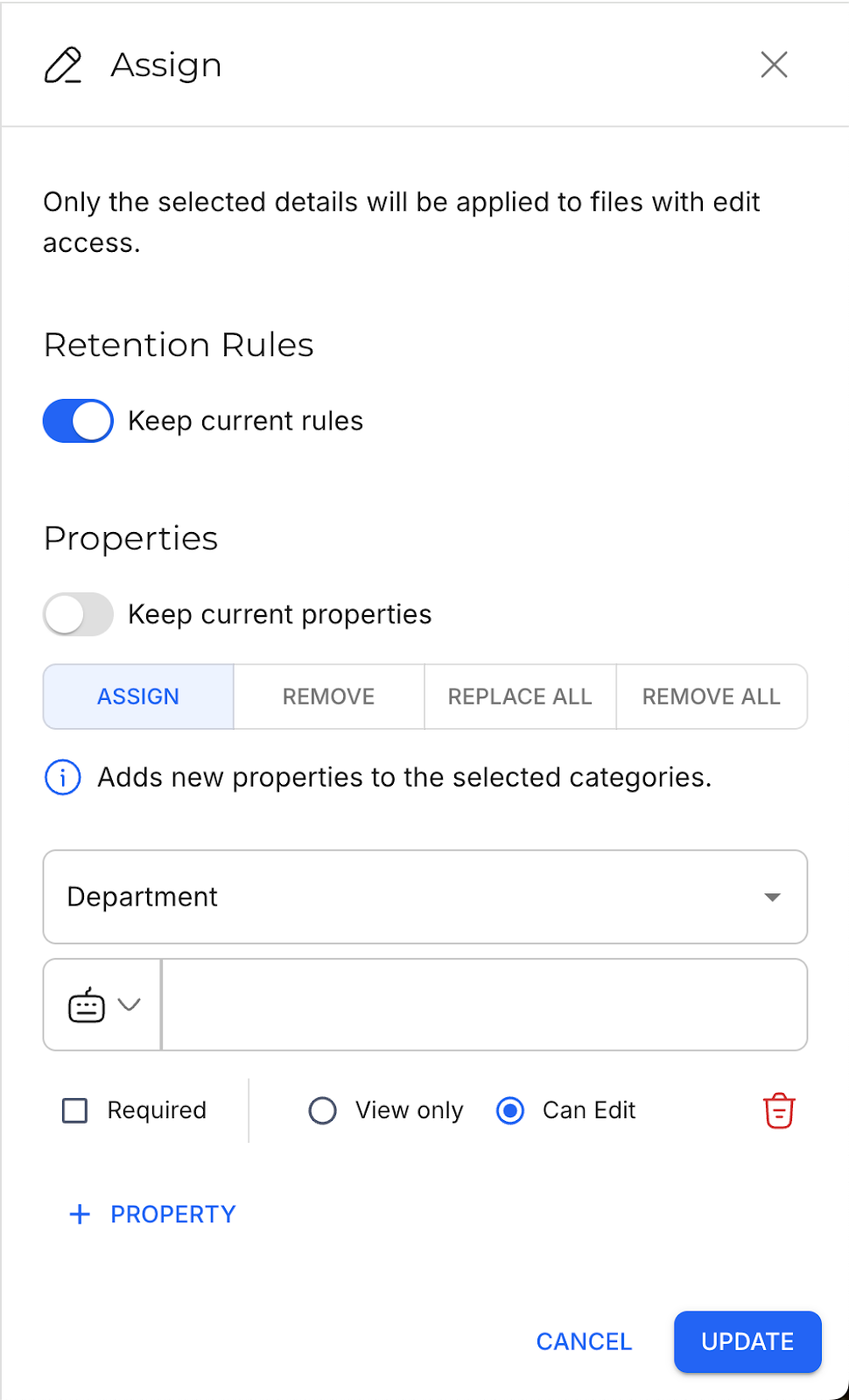
Assign | Adds the properties to the selected Categories.
The following options are available when assigning properties:
|
Remove | Removes the properties from the selected Categories. |
Replace All | Replaces all existing properties from the selected Categories with the selected properties. |
Remove All | Removes all existing properties from the selected Categories. |
Keep | Keeps the currently assigned properties. This is used when you want to retain the existing file properties and edit the retention rules only. |
Currently Unavailable Features
Strato New Experience (V2) currently does not have support for the following feature, and will require you to go back to Strato V1 to execute.
- Import and Export Categories